Monitor your electricity

Category
Home Energy
Impact
Cost
Medium
Monitor your electricity

Steps to Take

Easy steps: 

  1. Find devices that you use infrequently and keep these unplugged. Remove and unplug old speakers, BlueRays, DVD players, VCRs, gaming devices, and landline chargers that you rarely use.
  2. Put clusters of devices that are usually used together on smart power strips and use the switch to turn the devices on only when you use them (e.g., TV+DVD+cable box or computer+monitor+printer).
  3. Unplug smartphone and other electronics chargers when not in use or use a plug in on/off switch to cut off power when not in use.

Kill A Watt: Many libraries have Kill A Watt®s that they will lend to you.

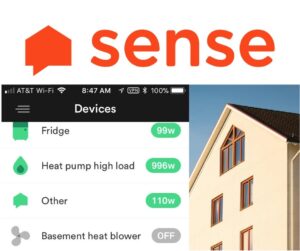
Sense Monitor 

  1. First of all let us know so we can pursue a discount for you.
  2. Go to Sense, choose your version (you need a different version if you have solar PV).
  3. Contact us if you would like us  to refer you to a local electrician to install it.

Let us know how it went by contributing a testimonial in the tab above!

Testimonials

We got our minimum electricity use down to well under 100 W

We got our minimum electricity use down to well under 100 W

By Arlene P

We installed the Sense monitor a few months ago in order to see exactly where our electricity use was going. As the Sense unit “learned” what was using electricity, we ...

Going for serious data!

Going for serious data!

By Jake M

In 2017 I went “all in” on a SolarFlair PV installation as well as a high-efficiency ductless split heat pump system with Sensibo smart controllers. To help understand the dynamics ...

Add a Testimonial

0%

Visit Us

SUBSCRIBE

Subscribe for climate news, actions you can take, and stories that inspire change.